












Most schools don't have a camera problem. They have a room problem — and the camera is just where it shows up. The instinct is to shop for a classroom camera the way you'd shop for a webcam: resolution, brand, price. But a classroom is not a desk. The teacher moves, students speak from every corner, and the remote audience needs to feel like they're sitting in the room, not watching a security feed of it. Once you see the decision through that lens, the criteria change completely.
This guide walks through how schools and universities should think about a classroom camera in 2026: by room type, by teaching style, and by the question nobody asks until it's too late — who is actually going to operate this thing every day?
In This Guide
- Why Classroom Camera Purchases Go Wrong
- Start With the Room, Not the Spec Sheet
- Classroom Cameras for Live Teaching
- Hybrid Learning at the University Level
- School Meeting Rooms and Admin Spaces
- Lecture Capture vs. Live Interaction
- A Simple Decision Framework
- Where an All-in-One 360 Camera Fits
Why Classroom Camera Purchases Go Wrong
Here is the pattern that repeats across districts and campuses: IT buys a camera with excellent image quality, mounts it at the back of the room, and within a month teachers stop using it. Not because the picture is bad — because the workflow is bad. The camera shows the backs of students' heads. The microphone picks up the projector fan louder than the student in row three. Switching between "show the teacher" and "show the class" requires touching software nobody has time to learn.
The underlying principle is easy to miss: in a classroom, the camera's job is not to produce a beautiful image — it's to make remote participants feel present in a physical space. Presence requires three things at once: seeing faces (plural, not just the teacher), hearing voices from anywhere in the room, and zero friction for the teacher, who already has twenty other things to manage. Any camera decision that optimizes one of these at the expense of the others will fail in practice, no matter how good the spec sheet looks.
This is why the most common regret in education video conferencing isn't "we should have bought a sharper camera." It's "we didn't think about audio" and "we didn't think about who runs it during class."
Start With the Room, Not the Spec Sheet
Different education spaces punish different weaknesses. Before comparing models, map your spaces into four buckets:
| Space | Typical size | Primary use | What kills a bad setup |
|---|---|---|---|
| Standard classroom | 20–35 students | Live teaching with remote students joining | Narrow field of view, weak far-end audio |
| Small classroom / breakout room | 4–10 people | Google Meet or Zoom small-group sessions | Setup friction, echo in hard-walled rooms |
| School meeting room | 6–18 people | Staff meetings, parent conferences, board calls | People out of frame, muffled speech across the table |
| Lecture hall | 40+ | One-way lecture capture and streaming | Losing the presenter when they move, board content unreadable |
Notice that only one of these buckets cares primarily about cinematic image quality — and it's the lecture hall, which is the least interactive. Everywhere else, coverage and audio beat resolution. A school classroom video camera that sees and hears everyone at 1080p will outperform a beautiful 4K image of an empty whiteboard every single time.
Classroom Cameras for Live Teaching
For K-12 and standard teaching classrooms, the daily scenario looks like this: a teacher starts class, three students join remotely from home, and the teacher needs to talk to both audiences without thinking about the technology. The camera question resolves into three practical requirements.
First, the whole room must be in frame, or framing must be automatic. A camera aimed at the teacher's desk leaves remote students staring at a whiteboard while the class discussion happens off-screen. Wide-angle and 360-degree designs solve this structurally; PTZ cameras solve it mechanically, but only if someone or something drives them.
Second, microphones must pick up students, not just the teacher. Classroom participation is the whole point. Built-in laptop mics and most webcam mics are tuned for a single voice at arm's length. A classroom camera setup needs an array microphone with noise cancellation that can pull a quiet question from the back row without pulling in the HVAC.
Third, the teacher cannot be the camera operator. This is the non-intuitive dimension most buying guides skip. Every manual adjustment — pan, zoom, input switching, app settings — is a small tax on teaching time, and teachers rationally stop paying it. If a feature can't be triggered with a single button press, it effectively doesn't exist in a live classroom.
For small classrooms running Google Meet specifically, the calculus tilts even harder toward simplicity. A small classroom Google Meet camera should be detected by Meet the moment it's plugged in, with no driver installs and no input menus. In a breakout room used by different teachers every period, plug-and-play isn't a convenience — it's the difference between a room that gets used and a room that gets booked around.
Hybrid Learning at the University Level
A university hybrid learning camera faces a harder version of the same problem, plus one extra: scale and variety. A single campus runs seminar rooms, active-learning classrooms, and lecture halls — often managed by a small AV team supporting faculty with wildly different technical comfort levels.
The pattern that works at university scale is standardization on forgiving hardware. "Forgiving" means the device tolerates bad rooms (echo, odd shapes, mixed lighting) and bad operators (a professor who will read exactly zero pages of documentation). Auto-framing and speaker-tracking features earn their keep here because they convert "someone must drive the camera" into "the camera handles it." Universities have increasingly moved toward all-in-one room devices for exactly this reason: one unit replaces the camera-plus-mic-plus-speaker-plus-cable-mess combination, which means one thing to install, one thing to support, and one thing to go wrong.
The other university-specific factor is the meeting side of the house. Faculty committees, thesis defenses, and departmental meetings now assume remote participants as a default, which is really education video conferencing rather than teaching — and it belongs in the meeting-room bucket, below.
School Meeting Rooms and Admin Spaces
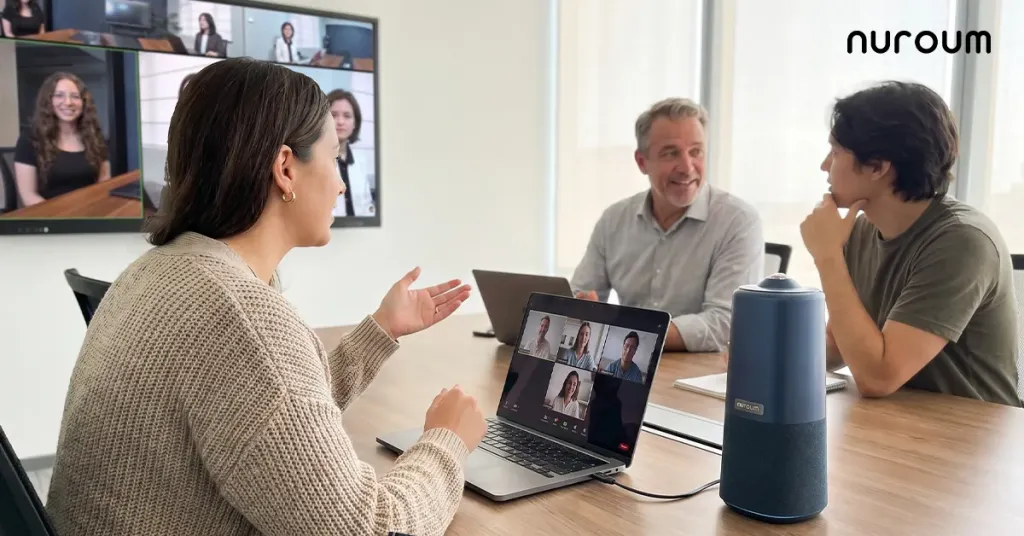
A school meeting room camera serves a different social dynamic than a classroom camera. Around a conference table, everyone is a peer, everyone speaks, and the people at the far end of the table are exactly the ones traditional front-of-room cameras cut off. Parent-teacher conferences and board meetings raise the stakes further: a parent joining remotely who can only see two of the five people in the room does not feel included in the conversation about their child.
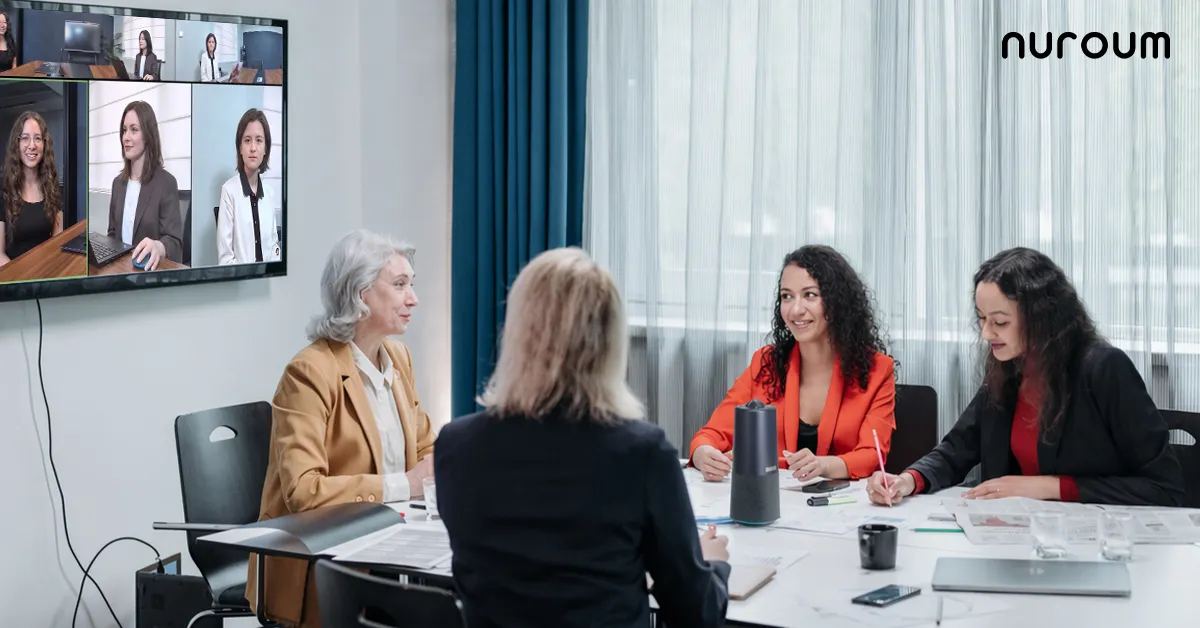
This is the scenario where 360-degree designs have a structural advantage rather than a marginal one. Placed at the center of the table, a 360-degree conference camera puts every participant on equal footing — no "camera end" of the table, no one reduced to a voice from off-screen. Combined with an array microphone and a real speaker, it also ends the familiar ritual of passing a laptop around the table so each person can "be on camera" for their turn to speak.
Lecture Capture vs. Live Interaction
An education lecture capture camera gets chosen on different logic, and conflating the two is an expensive mistake. Lecture capture is one-way: the audience watches, they don't talk back. That means:
- Framing stability on the presenter and board matters more than room-wide coverage
- Audio comes from a lapel or podium mic, not the room
- Recording and streaming pipeline compatibility matters more than conferencing-platform behavior
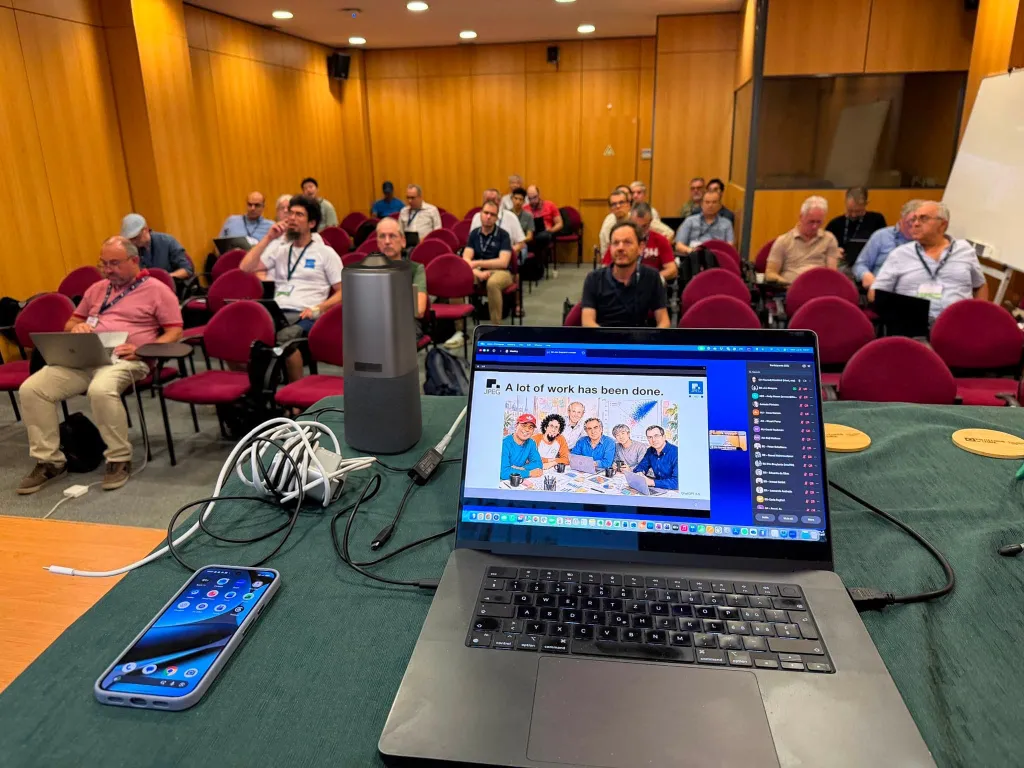
Live interaction is the reverse: room-wide audio pickup is critical, the framing problem is "show everyone," and the device must play nicely with Zoom, Teams, or Google Meet as a standard USB camera and speakerphone. If your primary need is capture, buy for capture. If your primary need is live hybrid sessions, buy for interaction. If you genuinely need both in one room, prioritize the interactive requirements — a camera good enough for live hybrid teaching will produce acceptable capture, while the reverse is rarely true.
A Simple Decision Framework
When evaluating any classroom camera, run it through these four questions in order:
- Who speaks in this room? Just a presenter, then a capture-oriented camera works. Many people around a table or room, then you need 360-degree or wide coverage plus an array mic.
- Who operates it? If the honest answer is "the teacher, during class," then every feature must be one-touch or automatic. If the answer is "a dedicated AV tech," PTZ and multi-device setups become viable.
- What platform? Confirm the device presents itself as a standard USB camera, mic, and speaker to your platform of choice — Google Meet, Zoom, and Teams all behave best with class-compliant USB devices.
- What happens when it goes wrong? Fewer separate devices means fewer failure points and fewer cables for a student, custodian, or rolling cart to disturb. One integrated unit is easier to troubleshoot than four.
If your answers are "everyone speaks, the teacher operates it, we use Meet or Zoom, and nobody has time for troubleshooting" — the profile of most schools — you're describing an all-in-one 360-degree device.
Where an All-in-One 360 Camera Fits
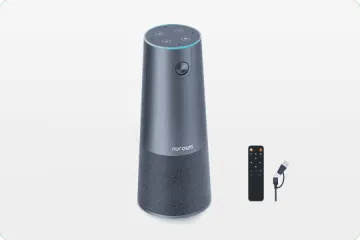
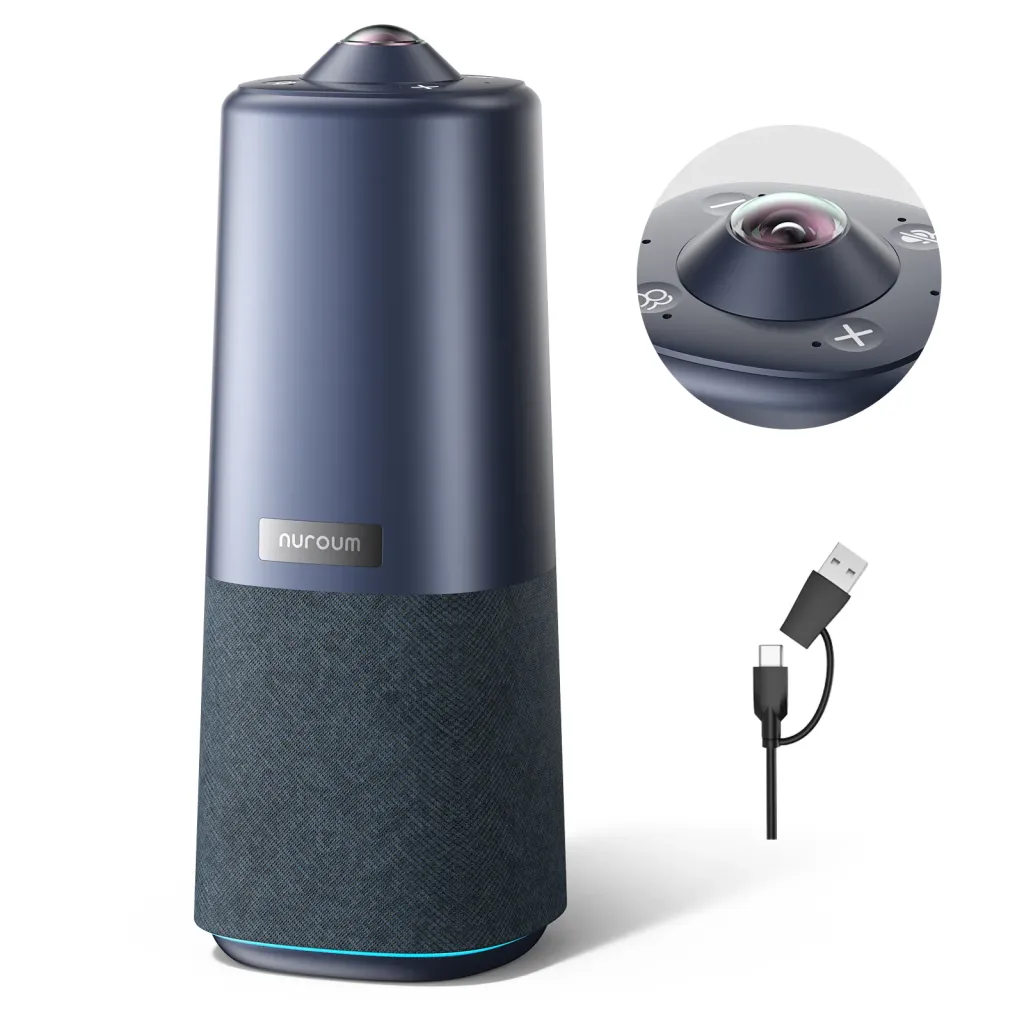
For schools matching that profile, the Nuroum 360 Pro is built around exactly the constraints above. It combines a 360-degree camera with a Sony sensor, a six-microphone noise-cancelling array, and a Hi-Fi speaker in a single unit that sits in the middle of the room and connects over USB — no drivers, no switcher, nothing for a teacher to configure. Its three AI display modes are changed with one touch of a button on the device or the included remote: Discussion mode frames the active speakers for live class interaction, Global mode shows the whole room for parent conferences and staff meetings, and Presentation mode follows the teacher for lecture-style sessions.
The practical result: a teacher walks in, plugs one cable into a laptop, and starts a Meet or Zoom call where remote students can see and hear the whole class — and the same unit can be carried to the admin meeting room after school. It's designed for rooms of roughly 3–18 people, which covers standard classrooms, small breakout rooms, and school meeting rooms alike. Nuroum's audio-video gear is already used by more than 40,000 organizations worldwide, including universities and K-12 school systems facing the same hybrid-learning challenges.
It's not the right answer for a 200-seat lecture hall with a production crew — that's a multi-camera capture rig's job. But for the everyday teaching and meeting spaces where most education video conferencing actually happens, consolidating the room into one forgiving device is the decision schools rarely regret.
Frequently Asked Questions
Is a webcam good enough as a classroom camera?
For a teacher who sits at a desk and teaches to the screen, a webcam is adequate — that's the scenario webcams are designed for. The moment the teacher moves around the room, calls on students, or remote participants need to see their classmates, a webcam's narrow field of view and close-range microphone become the limiting factors. A dedicated classroom camera with wide or 360-degree coverage and an array microphone addresses the room, not just the person at the desk. If your teaching style is interactive, the webcam will be the first thing teachers complain about.
What is the difference between a hybrid learning camera and a lecture capture camera?
A hybrid learning camera supports live, two-way interaction: remote students watch and participate, so the priorities are room-wide framing, far-end audio pickup, and seamless compatibility with conferencing platforms like Zoom or Google Meet. A lecture capture camera supports one-way recording or streaming, so the priorities shift to stable framing on the presenter, readable board content, and integration with a recording pipeline. Buying a capture-oriented camera for interactive hybrid classes is one of the most common — and most expensive — mismatches in education AV.
How do we equip classrooms for Google Meet without IT support every week?
Standardize on plug-and-play USB devices that Google Meet recognizes automatically as a camera, microphone, and speaker, with no drivers or companion apps required. Keep the model count low — one or two device types across the whole school — so any teacher can walk into any room and know what to expect. Avoid setups that involve input switching, manual framing controls, or per-room quirks, because each of those generates recurring support tickets. In practice, schools that consolidate camera, mic, and speaker into one unit see the fewest "the room isn't working" tickets.
Can one camera cover both our classrooms and our admin meeting room?
Yes — and many schools deliberately plan it this way. A portable all-in-one device with a 360-degree or very wide field of view handles both the "whole class" framing of a classroom and the "everyone around the table" framing of a meeting room, since the underlying requirement is the same: see and hear everyone. A small fleet of shared units that move between rooms on a cart or by hand is often a better use of budget than permanently installing lesser equipment in every space. Just confirm the device's pickup range suits your largest room.
Related Guides
- Healthcare Video Conferencing Guide: Telehealth, Hospital Meeting Rooms & Video Bars — how clinics and hospitals solve the same room-coverage problem under privacy constraints
- Church Camera Guide: Streaming, Sanctuary & Online Ministry Meetings — volunteer-friendly camera setups for worship spaces
- Legal & Consulting Video Conferencing: Client-Ready Meeting Room Setups — camera strategy when client trust is on the line
- Bank & Financial Services Cameras: HQ Conference Rooms, Branches & Advisors — rolling out meeting rooms across branch networks
- Government & Nonprofit Meeting Rooms: Secure, Compliant Video Conferencing — procurement-friendly setups on public-sector budgets
- Startup, Real Estate & Modern Office Cameras: Huddle Rooms to War Rooms — flexible camera setups for fast-moving teams



