












It's 9:47 on a Sunday morning. Service starts at 10:00. The volunteer who usually runs the stream texted at 9:30 — flu, can't make it. A well-meaning elder is now staring at a camera tripod, a laptop, and a tangle of cables, while the worship team does a sound check and the online congregation counter is already ticking upward. Whatever happens in the next thirteen minutes was decided months ago — not by talent or budget, but by how simple the church made its church streaming camera setup.
Most churches don't need a broadcast studio. They need a church streaming camera workflow that a rotating cast of volunteers can run with confidence, plus meeting spaces where ministry actually happens during the week. This guide covers both, space by space — from choosing a church sanctuary camera for the Sunday stream to setting up a church Zoom camera for midweek small groups.
First, Separate the Two Jobs
Churches shop for "a camera" when they actually have two distinct jobs:
- Streaming the service (one-to-many): the congregation watches; they don't talk back. The camera's job is a stable, respectful view of the sanctuary.
- Meetings and ministry (many-to-many): staff meetings, Bible studies, small groups, counseling check-ins over Zoom or Google Meet. The camera's job is to make everyone in the room visible and audible.
Why does this matter? Because the two jobs reward opposite designs. A church sanctuary camera for streaming wants to sit far back, framed on the stage, feeding your streaming software. A church video conferencing camera wants to sit in the middle of the people, seeing every face equally. Churches that buy one camera for both jobs usually end up with a device that's mediocre at each. The good news: the meeting side is far cheaper to get right than most churches expect, which frees budget for the streaming side.
The Church Streaming Camera Setup: Sunday in the Sanctuary
The goal of a worship stream is not cinematic quality — it's presence. Homebound members, travelers, and newcomers checking out your church want to feel the service, not admire the camera work. That reframes the priorities:
Audio is 70% of the experience. Viewers will forgive a soft image; they will not forgive muffled worship or a sermon that sounds like it was recorded in a hallway. The single highest-impact upgrade for most church streams is taking audio directly from the soundboard into the streaming computer rather than relying on any camera's built-in microphone. Sanctuaries are designed for live acoustics — high ceilings, hard surfaces, reverb that sounds glorious in person and chaotic through a mic.
One stable wide shot beats five camera angles run badly. A volunteer-run multi-camera production requires a director, trained operators, and rehearsal. A locked-off wide shot of the platform, run through free streaming software, requires someone to press "start stream." Many churches find a middle path: one wide shot plus one closer shot of the pulpit, switched with simple presets rather than live camera movement.
Lighting beats resolution. A modest camera in a well-lit sanctuary outperforms an expensive camera fighting dim stage lighting and dark pews. Before upgrading the camera, look at the light on the speaker's face.
Ask "why" three times on any sanctuary purchase and you usually land in the same place: why buy a PTZ camera? To follow the speaker. Why follow the speaker? So viewers stay engaged. Why do they disengage? Usually because of audio dropouts or a dark image — not a static frame. Fix the root causes first.
Midweek: The Church Zoom Camera for Meetings and Small Groups
Here's where churches consistently over-deliberate. A church Zoom camera for a staff meeting, a church Google Meet camera for a small group in the fellowship hall, a video call with a missionary family — these all share one requirement: everyone in the room should be seen and heard without anyone thinking about the technology.
The classic failure mode is the laptop passed around the circle so each person can "be on camera," or six people hunched around one laptop webcam like a family photo. Both kill the conversation. The fix is a room camera setup:
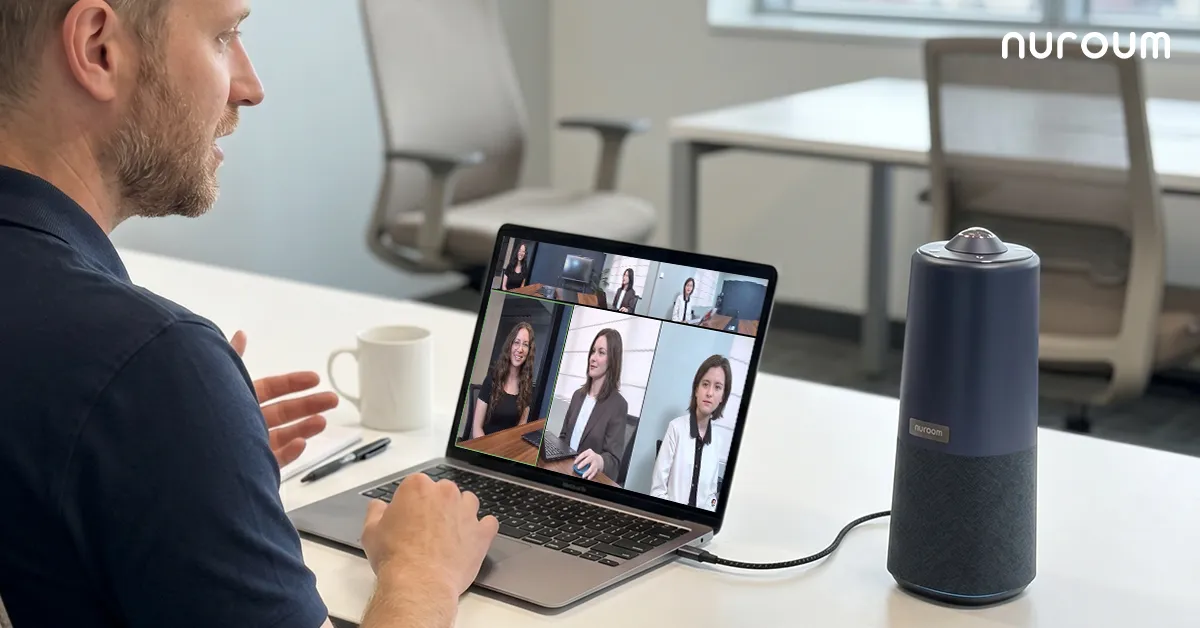
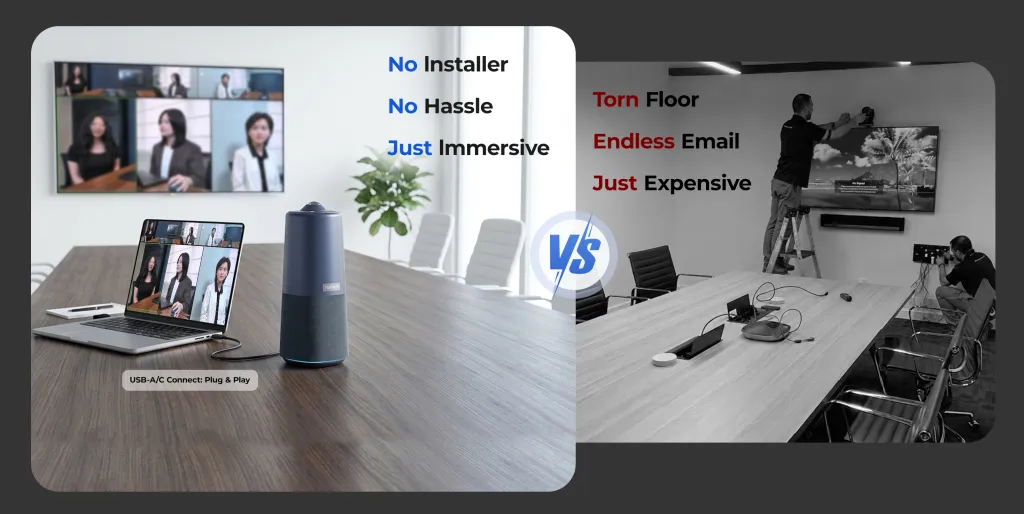
- Place an all-in-one device — camera, microphones, and speaker in one unit — at the center of the table or circle.
- A 360-degree view means the circle stays a circle; nobody needs to rearrange the room to face a camera.
- Noise-cancelling array microphones pick up a soft-spoken prayer request from across the room without picking up the HVAC.
- One USB cable to any laptop, and Zoom or Google Meet detects it instantly. No drivers, no IT call — important when your "IT department" is whoever set up the projector last Easter.
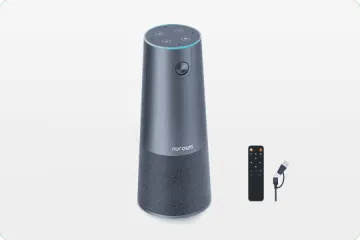
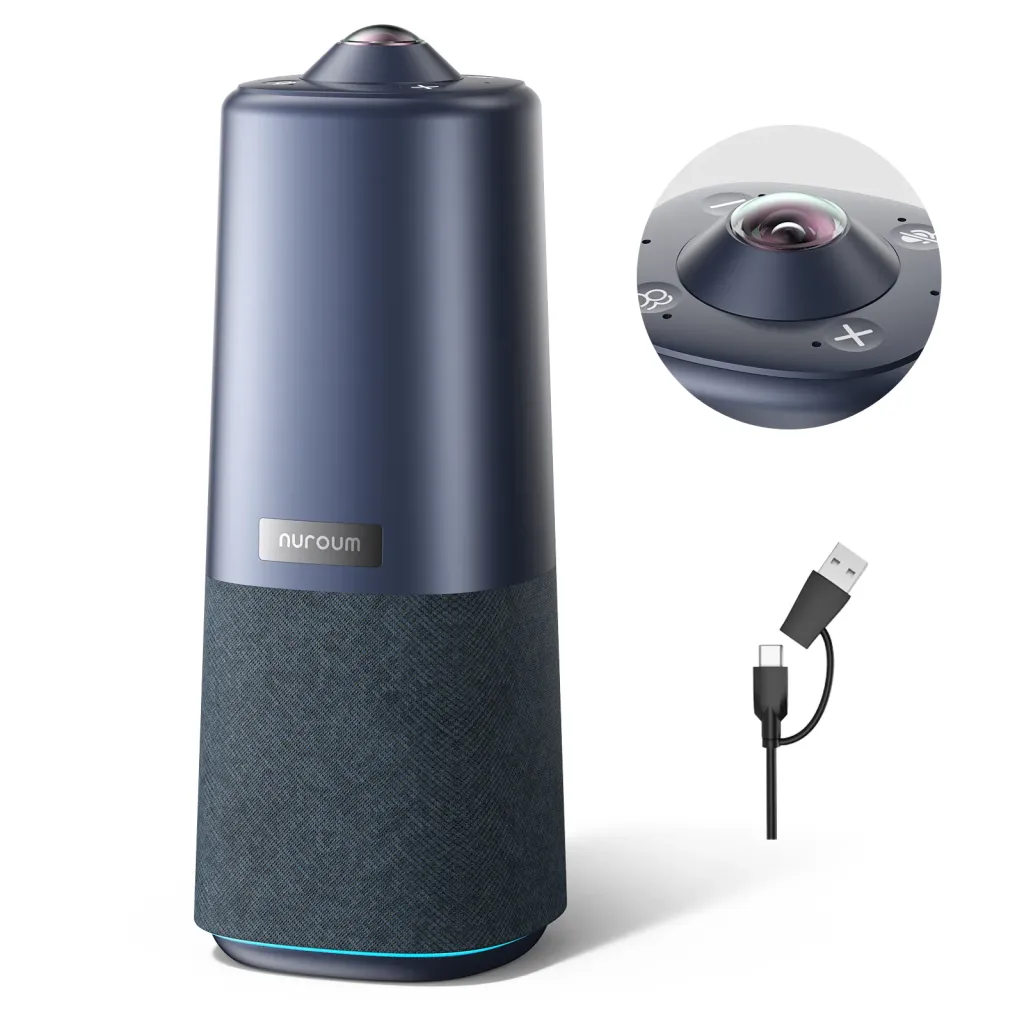
This is the scenario the Nuroum 360 Pro was built for: a 360-degree camera with a Sony sensor, a six-microphone noise-cancelling array, and a Hi-Fi speaker in a single unit that sits on the table and plugs in over USB. Its three AI display modes change with one button on the device or the included remote — Discussion mode frames whoever is speaking for Bible study conversations, Global mode shows the whole circle for worship team meetings, and Presentation mode follows a teacher for a class or training. It handles rooms of roughly 3–18 people, which covers staff meetings, small groups, and board meetings alike. And because it's one portable unit, the same device that runs the Tuesday staff Zoom can move to the fellowship hall for Wednesday night small group — a real consideration when a church's equipment budget is a stewardship decision. Nuroum gear is used by more than 40,000 organizations, including congregations and faith-based nonprofits.

A Volunteer-Proof Workflow, Step by Step
Whether for streaming or meetings, design every workflow so the least technical volunteer succeeds. The pattern that works:
- Label everything. Cables, ports, and the order they connect. Masking tape and a marker outperform laminated manuals.
- One-page quick-start, taped to the table. Three steps maximum: plug in, open the app, press go. The mistake most churches make is writing documentation for the person who built the system instead of the person who inherits it.
- Save presets in advance. Camera framing, streaming layouts, Zoom audio settings — configured once by your most technical volunteer, locked in, never revisited.
- Rehearse the failure, not just the success. Once a quarter, have a backup volunteer run the whole workflow cold. If they can't, the workflow is too complex — simplify it, because one Sunday the backup will be running it for real.
- Keep a spare cable in the room. The most common live failure isn't the camera; it's the cable someone's kid unplugged.
Rooms Across the Church: A Quick Map
| Space | Job | Right tool |
|---|---|---|
| Sanctuary | Stream the service | Fixed wide camera + soundboard audio into streaming software |
| Fellowship hall / small group room | Two-way Zoom or Meet | All-in-one 360-degree camera, center of the circle |
| Staff meeting room | Weekly staff and board calls | All-in-one 360-degree camera on the table |
| Classroom / Sunday school | Teaching with remote participants | 360-degree unit in Presentation mode, or shared with small group room |
| Pastor's office | Counseling calls, one-on-one | Laptop webcam is honestly sufficient here |
Notice what this map does for your budget: the expensive decisions concentrate in the sanctuary, and everything else shares a small fleet of portable, affordable all-in-one units. That's a much better stewardship outcome than under-equipping every room or over-equipping one.
Frequently Asked Questions
Can volunteers run a church live stream without training?
Yes — but only if the workflow is deliberately designed for untrained operators. That means fixed camera positions instead of live-operated ones, presets saved ahead of time, one-button start, and a labeled, one-page quick-start sheet in the room. Every manual decision you remove is a failure you prevent. Churches struggle with volunteer streaming when they build a workflow that only its builder can run; design for the backup volunteer, not the expert.
What's the difference between a church streaming camera and a conferencing camera?
A streaming camera serves a one-way broadcast: the audience watches the service, so the priorities are a stable, well-lit view of the platform and clean audio from the soundboard. A conferencing camera serves two-way meetings — Bible studies, staff meetings, small groups — where every participant needs to be seen and heard, so the priorities are room-wide framing, array microphones, and a speaker. They sit in different places (back of the room vs. middle of the group) and solve different problems, which is why one device rarely does both well.
How do we set up a church Zoom camera for small groups?
Keep it to three steps. Place an all-in-one 360-degree camera in the center of the circle or table so everyone is in frame without rearranging chairs. Connect its single USB cable to any laptop. Open Zoom, select the device as camera, microphone, and speaker, and start the meeting — the whole group is visible and audible in under a minute. Avoid multi-device setups with separate mics and speakers; each extra device is an extra thing a volunteer has to get right every week.
Our sanctuary has terrible acoustics. Will people online hear us?
Probably not well — if you're relying on a camera's built-in microphone. Sanctuaries are acoustically designed for unamplified human ears, which means long reverb that sounds beautiful in person and muddy on a stream. The fix is routing: take the audio feed directly from your soundboard or mixer into the streaming computer, so the stream hears what the sound system hears. Reserve microphones-in-the-room for meeting spaces like small group rooms, where noise-cancelling array mics handle echo-prone fellowship halls surprisingly well. Before buying any new camera, fix the audio path — it's almost always the real problem.
Related Guides
- The Complete Education Camera Guide: Classrooms, Hybrid Learning & Meeting Rooms — the pillar guide; Sunday school and church classrooms face the same decisions
- Government & Nonprofit Meeting Rooms: Secure, Compliant Video Conferencing — budget stewardship logic that faith-based nonprofits will recognize
- Startup, Real Estate & Modern Office Cameras: Huddle Rooms to War Rooms — flexible room thinking for multi-use church spaces



