
















The most expensive camera in a bank's meeting room estate is not the premium boardroom system — it's the branch room that never gets used because nobody on-site can make it work. Institutions routinely spend six figures on flagship HQ rooms while forty branch offices improvise on laptop webcams, and then wonder why cross-site collaboration feels broken. The math is upside down — the bank conference room camera that matters most is usually the one in the smallest branch — and fixing it is a strategy problem, not a hardware problem.
Fixing it starts with a rollout framework, not a purchase order. This guide covers how banks and financial services firms should think about the bank conference room camera at HQ, bank branch video conferencing at the edge, and the financial advisor camera at the desk — three different problems that one device strategy can cover.
The Three Tiers of a Bank's Video Estate
Tier 1 — HQ conference rooms. Credit committees, risk reviews, executive sessions. Formal, scheduled, high-stakes. Rooms seat 8–18 around real tables.
Tier 2 — Branch meeting spaces. Small rooms and borrowed offices where branch managers join regional calls, customers meet remote specialists (mortgage advisors, small-business bankers), and staff training happens. Typically 2–6 people, minimal or no local IT.
Tier 3 — The advisor's desk. One-on-one client meetings over Zoom or Teams, increasingly the default channel for wealth management and advisory relationships.
The mistake most institutions make is treating these as one problem ("buy conference cameras") or three unrelated problems handled by different teams. They are one estate with one requirement that shows up differently at each tier: consistent, effortless, client-grade video — consistent because a bank's brand is trust, effortless because branch staff and advisors are not AV operators, and client-grade because in financial services the client meeting is the relationship.
Tier 1: The Bank Conference Room Camera at HQ
HQ rooms have a subtle trap: they're often the best-funded and worst-designed spaces, because budget gets spent on displays and furniture while the camera is an afterthought bolted to the front wall. The result is familiar — a beautiful room where remote participants see the near side of the table and hear whoever sits closest to the speakerphone.
For committee-style rooms, the deciding factors are coverage and audio, not resolution:
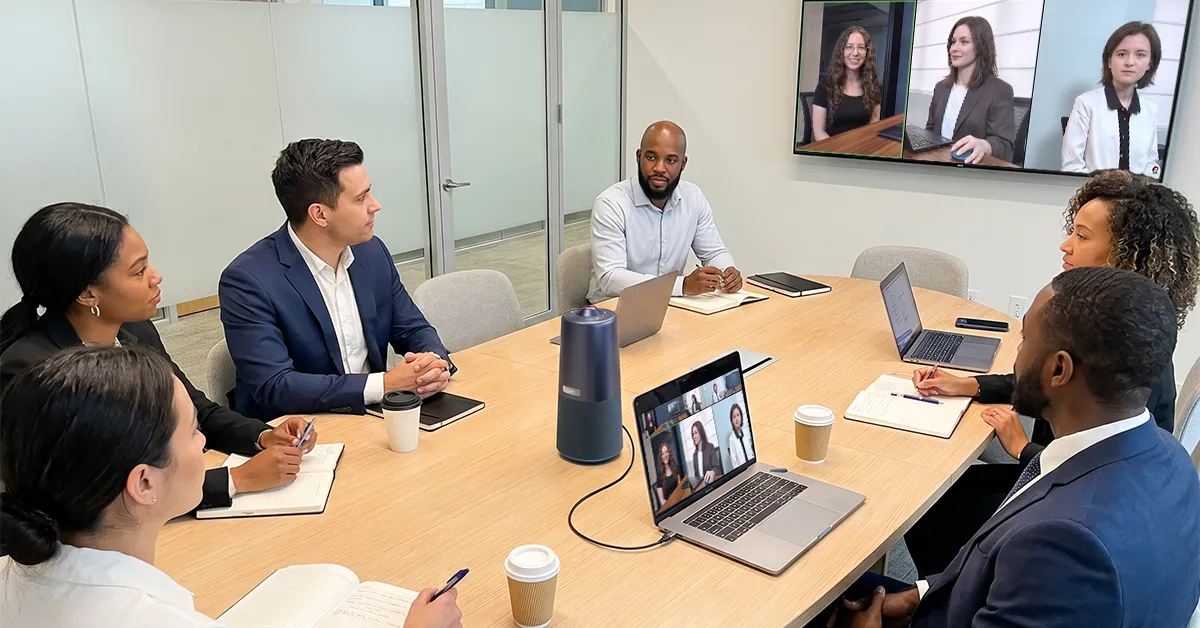
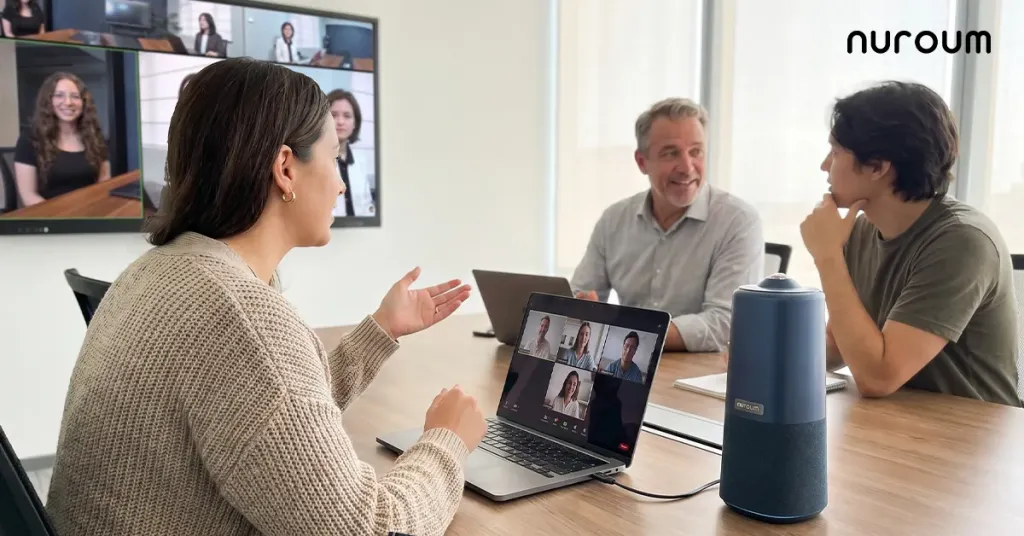
- Whole-table visibility. A credit committee has a chair, but everyone at the table speaks and votes. A 360-degree camera at the center of the table captures every participant equally; a front-mounted camera structurally cannot. For rooms where remote directors or regulators join, equal visibility is also a courtesy that reflects well on the institution.
- Room-wide audio pickup. Financial discussions are precise — numbers, conditions, dissent. An array microphone with noise cancellation that captures every seat prevents the "can someone repeat what was said at the far end?" problem that quietly undermines remote participation.
- One-touch operation. These rooms host back-to-back meetings run by executives, not technicians. If starting the video requires a manual, it will be skipped, and the remote participant gets a phone-call experience on a video budget.
Tier 2: Bank Branch Video Conferencing
Branches are where strategy meets reality. The constraints: no dedicated AV rooms, staff who rotate between locations, customers physically present, and IT that is a phone call to HQ rather than a person down the hall. Bank branch video conferencing succeeds or fails on one criterion — can any branch employee start a video meeting in under a minute?
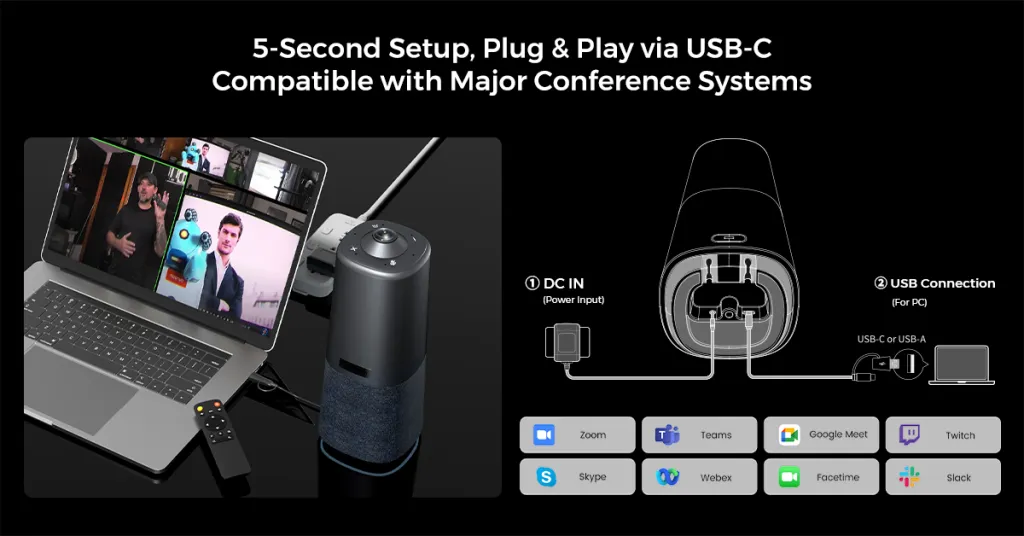
This pushes hard toward all-in-one, plug-and-play hardware: a single device that combines camera, microphones, and speaker, connects by one USB cable to a branch laptop or room PC, and is instantly recognized by Zoom, Teams, or Google Meet. A 360-degree model earns its keep in the branch context for a specific reason: branch "meeting rooms" are often multi-purpose offices where furniture arrangements vary. A camera that sees the whole room tolerates whatever room it lands in — no re-aiming, no mounting, no installer visit.
There's also a customer-facing branch scenario worth designing for deliberately: the remote specialist meeting. A customer sits in the branch to discuss a mortgage; the specialist joins by video. When the branch side of that call is a laptop webcam propped on a desk, the customer experiences a visibly improvised process at the exact moment they're making the biggest financial decision of the year. A small, tidy all-in-one unit on the desk or table makes the same meeting feel institutional.
Tier 3: The Financial Advisor Camera
For advisors meeting clients over Zoom, the camera is part of the professional presentation — the same category as attire and office. A financial advisor Zoom camera decision is simpler than the room decisions, but two points get missed:
- Audio outranks video at the desk. Clients forgive a slightly soft image; they do not forgive straining to hear guidance about their money. An external microphone or a device with a proper noise-cancelling mic array is the first upgrade, before any camera upgrade.
- The advisor's camera becomes a room camera more often than expected. The moment a colleague joins the client call — a portfolio specialist, an associate, a branch manager — a desk webcam framed on one face becomes inadequate. Advisors who regularly host joint meetings are better served by a small room-style device that can cover two or three people at a table than by a personal webcam.
The Rollout Framework: Standardize, Pilot, Then Scale
Financial institutions that succeed at video estates follow a repeatable sequence:
Step 1 — Define room archetypes, not room lists. Most banks have three to five room archetypes (boardroom, standard conference room, branch small room, advisor desk). Choose exactly one device per archetype. The mistake at this step is evaluating devices feature-by-feature; evaluate them workflow-by-workflow instead — "what does the least technical user in this archetype have to do to start a meeting?"
Step 2 — Pilot in the hardest environment first. Don't pilot at HQ where IT is down the hall; pilot in two or three branches, because branches concentrate every constraint (no local IT, rotating staff, customer-facing use). If the workflow survives branches, HQ is easy. The mistake most pilots make is optimizing the success case instead of stress-testing the failure case.
Step 3 — Publish a one-page standard. One page per archetype: what's in the room, how to start a meeting, what to do when something fails. Laminate it and leave it in the room. Fleet consistency comes from identical rooms and identical instructions, not from identical intentions.
Step 4 — Roll out with spares. A small pool of spare units at HQ lets any branch with a failure be next-day functional. This matters more than extended warranties: a dark room costs you meetings, and portable all-in-one devices make sparing cheap precisely because one model covers multiple archetypes.
When This Framework Doesn't Apply
Honest exceptions exist. Trading floors and operations centers with specialized multi-display, always-on requirements need engineered systems beyond any conferencing peripheral. Boardrooms with fixed seating for twenty-plus and integrated building AV deserve an integrator-designed installation. And a solo advisor doing exclusively one-on-one calls from a fixed desk may genuinely need nothing more than a good webcam and headset — the framework above is for institutions coordinating many rooms and many people.
A Practical Device Profile for All Three Tiers
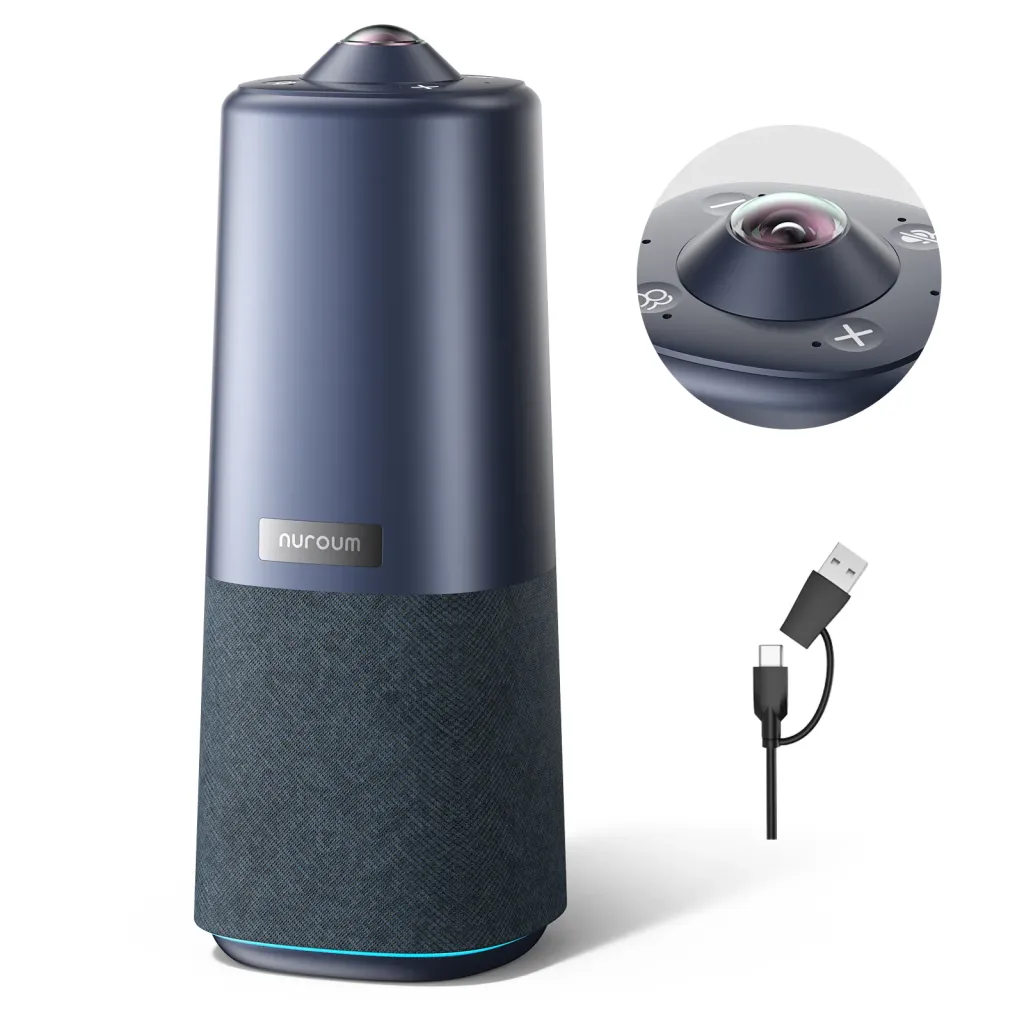
For the room tiers above, the Nuroum 360 Pro matches the workflow requirements rather than asking you to match its. One unit combines a 360-degree camera with a Sony sensor, a six-microphone noise-cancelling array, and a Hi-Fi speaker; it sits in the middle of a table, connects over USB, and is detected instantly by Zoom, Teams, and Google Meet — the platform flexibility matters because client meetings happen on the client's platform, not yours. Three AI display modes switch with a single button or the included remote: Discussion mode for committee debate, Global mode for full-room visibility, and Presentation mode for training and briefings. It covers rooms of roughly 3–18 people, which spans branch small rooms and standard HQ conference rooms in a single device type — exactly the consolidation that makes Tier 2 standardization and Tier 4 sparing affordable. As a class-compliant USB peripheral with no companion cloud service, it also presents a simple profile for infosec review: it streams only while your approved platform is running. Nuroum serves over 40,000 organizations, including financial services teams.
Frequently Asked Questions
What camera setup works for bank branch video conferencing?
Branches need setups that any staff member can operate without training: an all-in-one device combining camera, microphones, and speaker, connected by a single USB cable and recognized instantly by your conferencing platform. Branch rooms are often multi-purpose offices with varying layouts, so a wide or 360-degree field of view tolerates whatever furniture arrangement exists. Avoid anything requiring mounting, drivers, or input configuration — each requirement becomes a reason the room goes unused. Above all, standardize the same device across every branch so training, spares, and support stay simple.
Do financial advisors need a special camera for Zoom client meetings?
Not special — but a step above the built-in laptop webcam, and audio first. Clients judge the meeting on how clearly they hear advice, so a noise-cancelling microphone or a device with a proper mic array is the highest-impact upgrade. For the camera itself, good low-light handling and a flattering angle matter more than resolution. Advisors who frequently bring colleagues into client calls should skip the personal webcam category entirely and use a small room-style camera that covers two or three people at a table.
How do we keep video meetings consistent across dozens of branches?
Consistency is a standardization outcome, not a hardware budget outcome. Define your few room archetypes, assign exactly one device to each, and write a one-page quick-start that lives in every room. Pilot in branches rather than HQ, because branches expose the real constraints — rotating staff, no local IT, customer-facing use. Then keep a small pool of spare units so a failure in any location is a next-day fix rather than a dead room. Institutions that follow this sequence get uniform meeting quality; institutions that buy premium gear for flagship rooms get impressive demos and inconsistent daily reality.
Are all-in-one conference cameras secure enough for financial institutions?
A class-compliant USB camera-speakerphone is among the simplest devices to clear through security review: it has no operating system of its own, stores nothing, requires no cloud account, and streams only while your approved conferencing platform is actively running. That profile is generally easier to assess than networked room appliances that run their own software stacks and update independently. As always, route the evaluation through your infosec team with the device's actual data-flow description — but expect simpler hardware to mean a simpler review.
Related Guides
- The Complete Education Camera Guide: Classrooms, Hybrid Learning & Meeting Rooms — the pillar guide to room-based camera strategy
- Legal & Consulting Video Conferencing: Client-Ready Meeting Room Setups — parallel advice for another trust-driven profession
- Government & Nonprofit Meeting Rooms: Secure, Compliant Video Conferencing — procurement and security review logic for regulated buyers



